
Use VR while lying down
Lay down and relax
Meta Quest headsets (Quest 2, 3, and Pro) allow users to comfortably watch media or play low-intensity games while lying down by activating a dedicated “Lying Down Mode.” Found under Settings > Experimental > “Use Apps While Lying Down,” this feature enables re-centering the view directly above the user (e.g., on the ceiling).
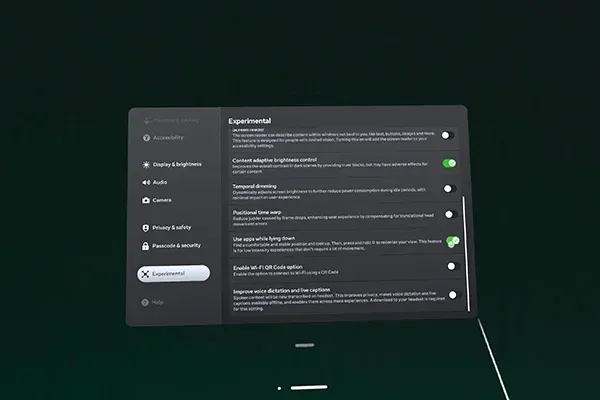
Once you have the option enabled and you’re in a comfortable position, hold down your Meta button (Right controller) to adjust your perspective.
Note this might not work for some apps and games.
Enjoy!