Troubleshooting
Have an issue with Bigscreen or VR in general? Check here for potential answers.
Can’t hear some people talking?
Sometimes you’ll find you can’t hear some individuals while others can. This usually means the room is bugged for you. To fix it, exit to your own room, then join back. If it still doesn’t work, ask the one you can’t hear to re-join the room.
People can’t hear you in Bigscreen?
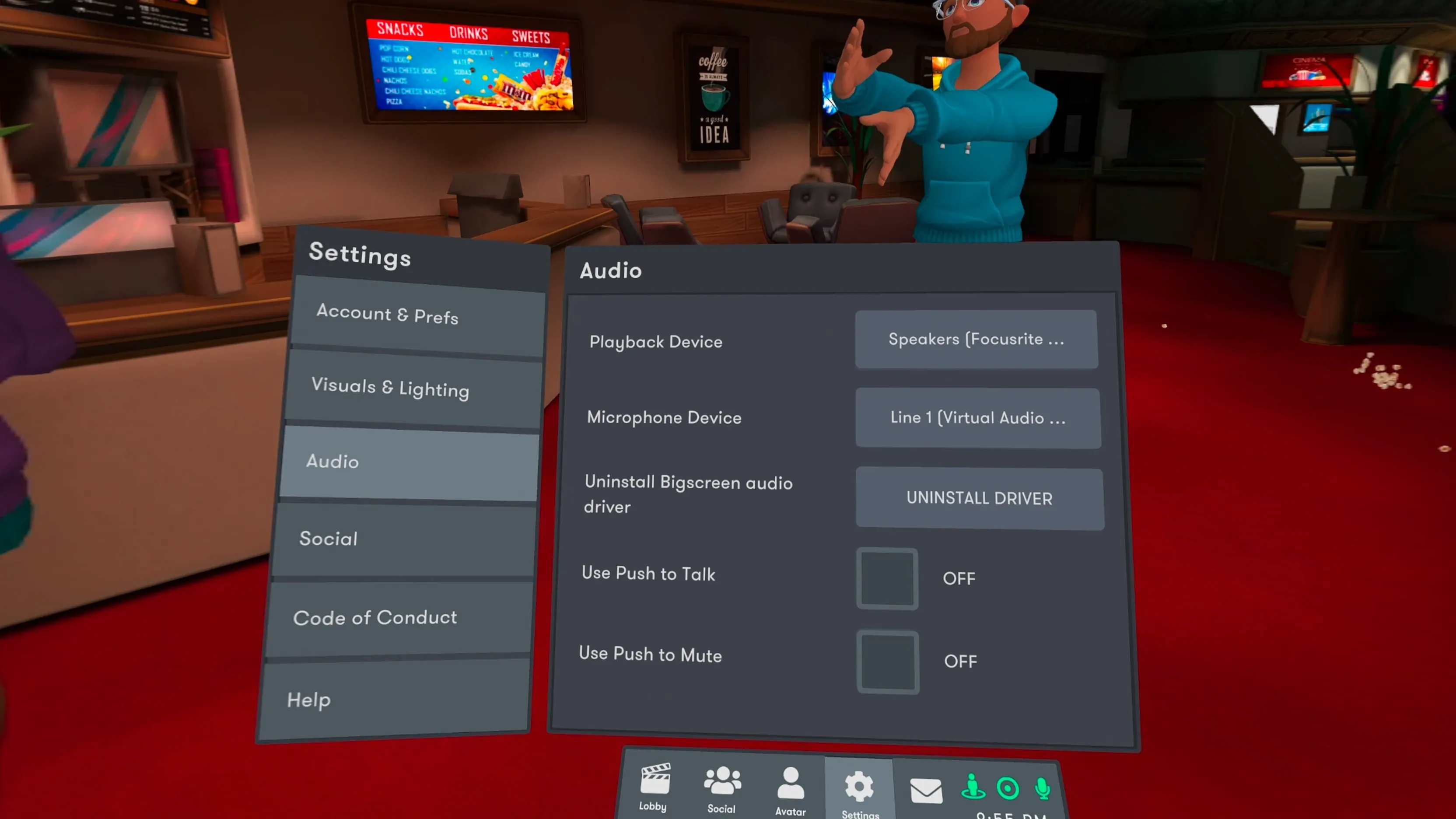
Check your Audio settings in Bigscreen. If you’re on PCVR, you need to select the correct devices. If you have push to talk enabled, hold down the B-button to talk.
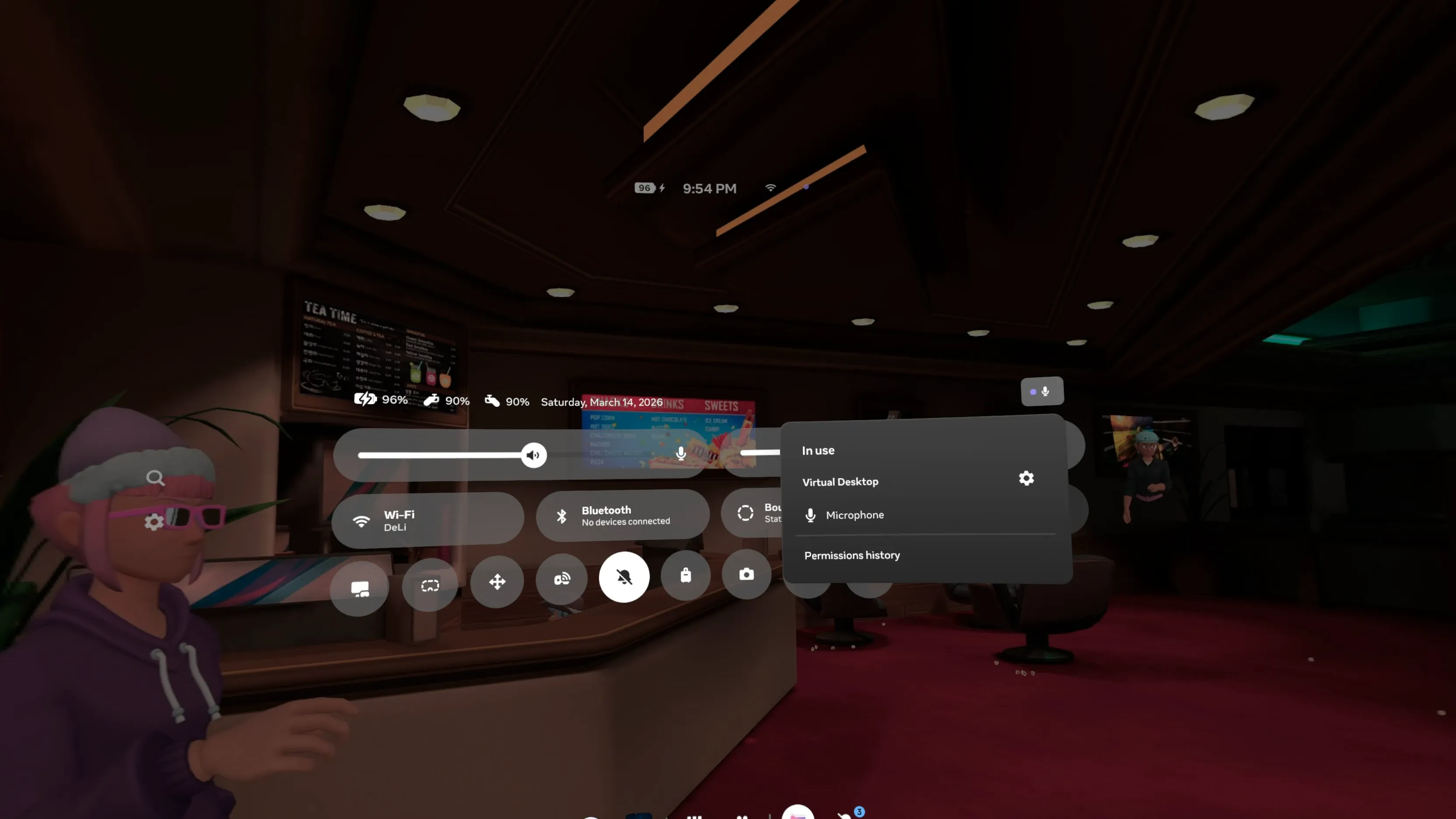
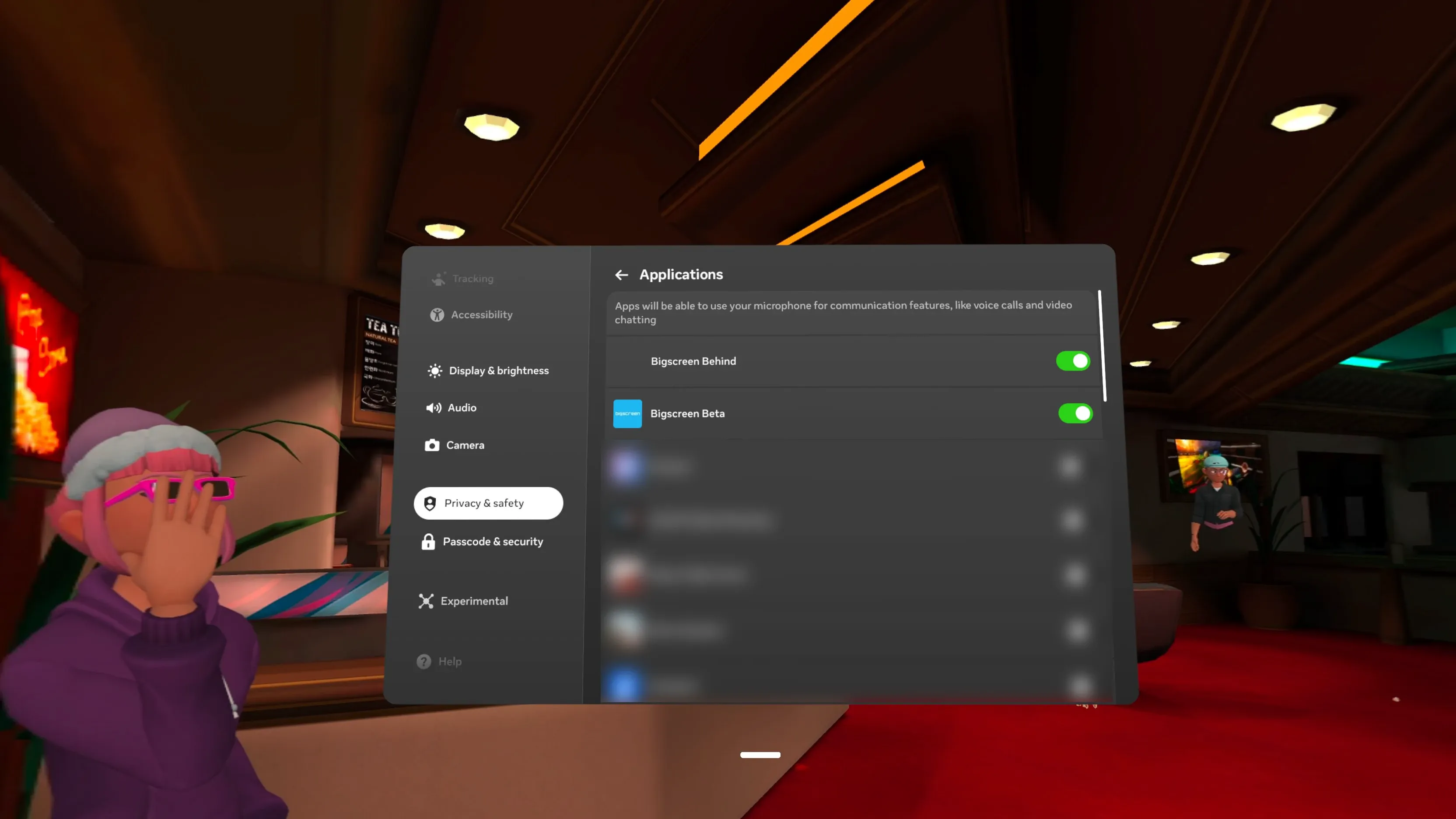
Open your quick menu, check your volume, and make sure it’s not muted on your headset. Also check the top right to see if Bigscreen has permission to access your microphone.
I have been banned!?
Check your mail connected to your Bigscreen account, then send an email to support@bigscreenvr.com and inquire about the suspension.
If you create multiple accounts to circumvent the suspension, they’ll be banned as well and you’ll only end up lowering the chances to get your suspension lifted.